

Upgrade your home with Smart Home Gadgets Under $100! Affordable tech gadgets for security, energy-saving, and convenience in 2025’s smart home trends.


Top 10 Car Safety Gadgets Keep You and Your Family Protected
Introduction
In today’s fast-paced world, car safety gadgets have become essential for every driver. These gadgets not only ensure safety but also provide peace of mind when you’re on the road with your family. Here’s a list of the top 10 car safety gadgets that will keep you and your loved ones safe.
Table of Contents
1. Dash Cam
Description:
A dash cam is a small camera mounted on your car’s dashboard that records video footage of the road ahead. Most modern dash cams come with HD video recording and night vision capabilities, capturing every detail whether you’re driving in daylight or low-light conditions.
Uses:
- Record your journey and serve as evidence in case of accidents.
- Protect yourself from insurance fraud or false claims.
- Some dash cams even have a parking mode to record events while your car is parked.
Why It’s Essential:
Having a dash cam ensures you’re always prepared with evidence in case of an accident or legal dispute.
PREVIEW | PRODUCT | VIEW |
 | 4K PRO Dash Cam | |
 | 3 Channel Dash Cam | |
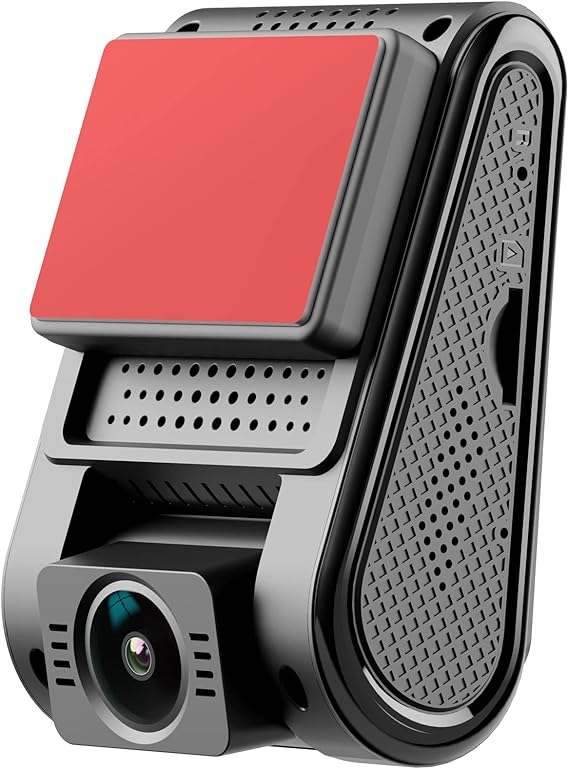 | Dash Cam 2k | |
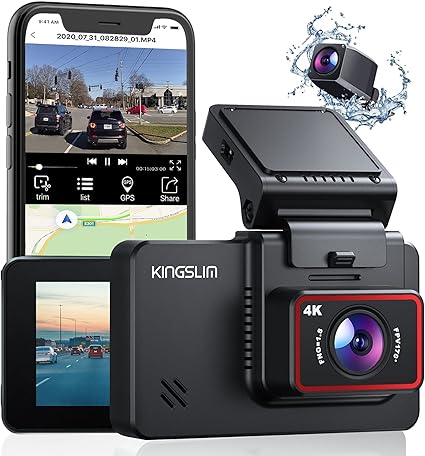 | Dual Dash Cam |
Pro Tip:
Choose a dash cam with GPS tracking and motion detection for enhanced protection.
2. Blind Spot Detection System
Description:
This system uses sensors installed on the side of your vehicle to detect any objects in your blind spots. It alerts you with lights or sounds when there is a car in your blind spot, reducing the risk of side collisions.
Uses:
- Helps avoid accidents when changing lanes.
- Reduces the chances of hitting obstacles in tight spaces.
Why It’s Essential:
The blind spot detection system prevents one of the most common causes of car accidents—blind spot collisions.
PREVIEW | PRODUCT | VIEW |
 | Radar Based Blind Spot System | |
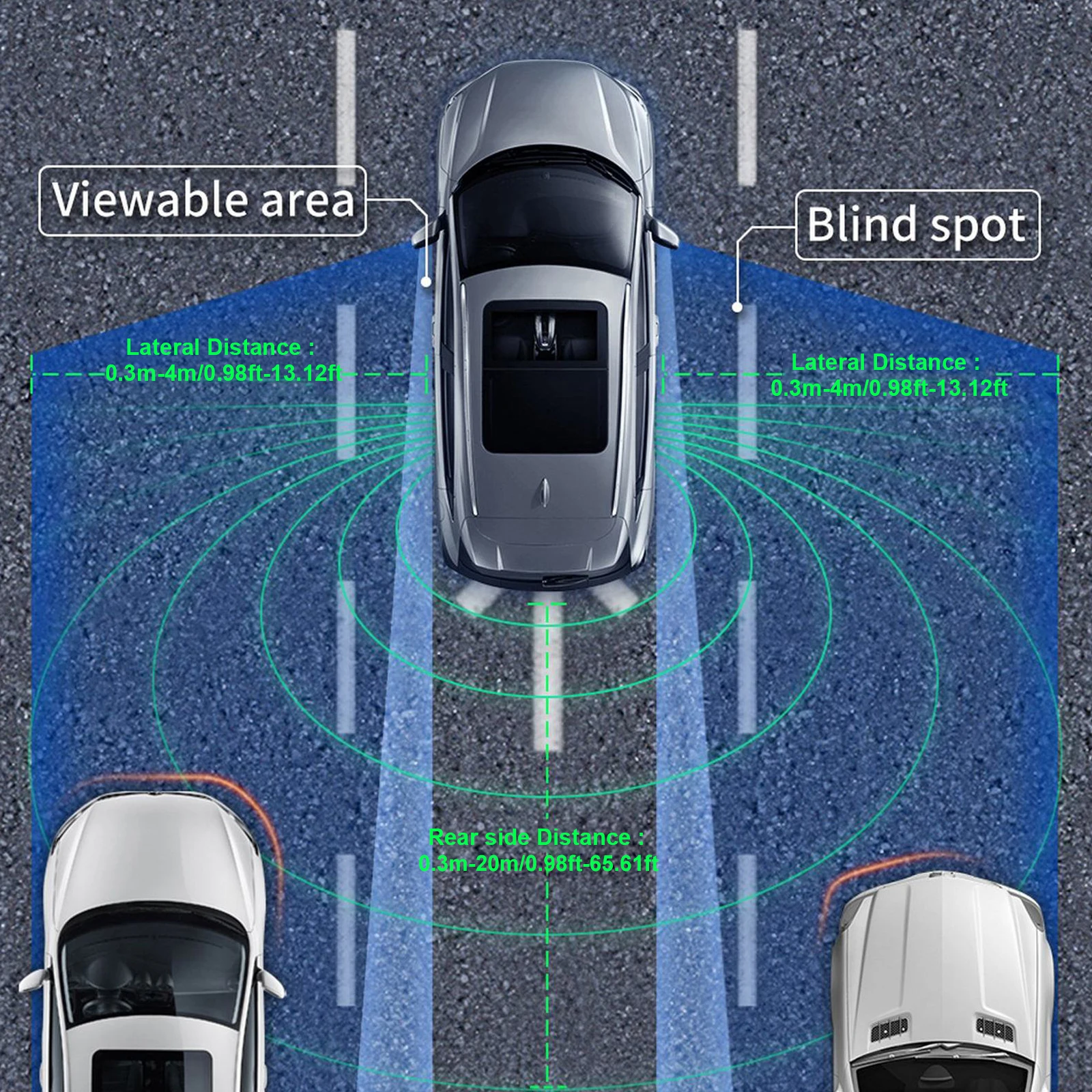 | Blind Spot Detection System | |
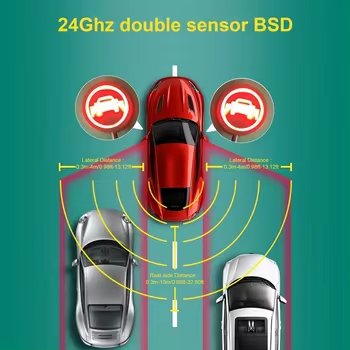 | Blind Spot Detection System |
Pro Tip:
Opt for systems with lane change assist for added safety while driving on highways.
3. Tire Pressure Monitoring System (TPMS)
Description:
A tire pressure monitoring system (TPMS) keeps track of the air pressure in your car’s tires and alerts you if any tire is underinflated or overinflated.
Uses:
- Helps maintain optimal tire pressure, improving fuel efficiency and reducing tire wear.
- Prevents tire blowouts that can lead to accidents.
Why It’s Essential:
Proper tire pressure is crucial for your car’s handling and fuel efficiency. This system ensures you stay on top of it.
PREVIEW | PRODUCT | VIEW |
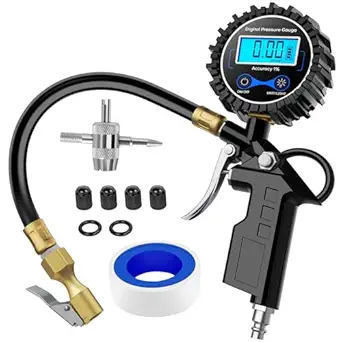 | Digital Tire Inflator Pressure Gauge | |
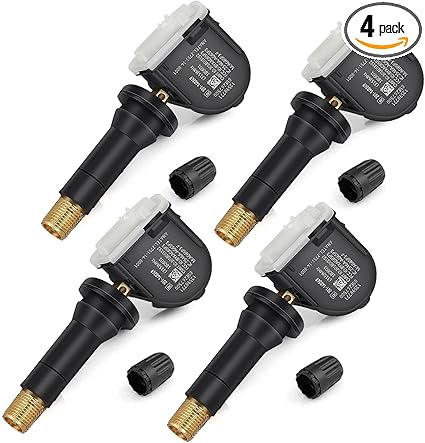 | TPMS Sensor GM | |
 | TireMinder i10 | |
 | Pressure and Temperature Monitoring System | |
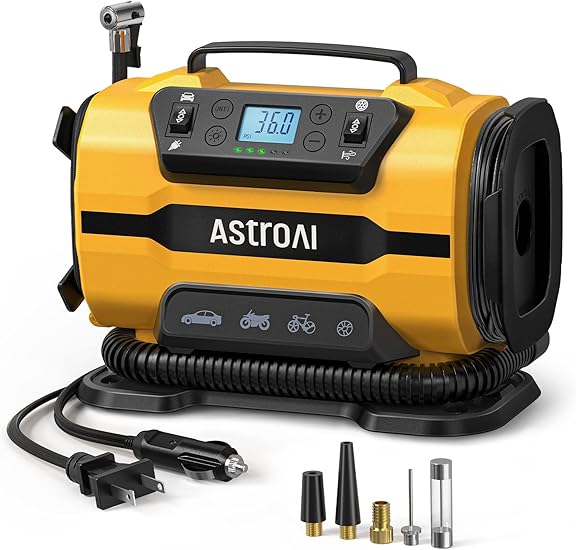 | Portable Air Compressor Pump |
Pro Tip:
Choose a wireless TPMS for easy installation and real-time updates on your smartphone.
4. Backup Camera
Description:
A backup camera provides a live feed of what’s behind your car, displayed on your dashboard screen. This helps prevent accidents when reversing.
Uses:
- Avoid hitting obstacles or pedestrians while reversing.
- Perfect for parking in tight spaces.
Why It’s Essential:
This gadget significantly reduces the chances of backing accidents, especially in crowded or tight areas.
PREVIEW | PRODUCT | VIEW |
 | Filter results by your vehicle: Enter a new vehicle to add it to Your Garage and filter the results below |
Pro Tip:
Look for a wide-angle camera with night vision for maximum coverage and visibility.
5. Collision Avoidance System
Description:
A collision avoidance system uses radar and cameras to detect if you’re approaching an object too quickly. It alerts you or automatically applies the brakes to avoid a collision.
Uses:
- Reduces the risk of rear-end collisions.
- Provides added protection in heavy traffic situations.
Why It’s Essential:
This system is a lifesaver in unpredictable traffic conditions and helps avoid costly accidents.
Pro Tip:
Consider systems that offer pedestrian detection for extra protection in urban environments.
6. GPS Tracking Device
Description:
A GPS tracking device allows you to track the real-time location of your vehicle. This is especially useful in case of theft or when lending your car to someone else.
Uses:
- Monitor the location of your car remotely.
- Get alerts if your car moves unexpectedly.
Why It’s Essential:
Knowing your car’s location at all times gives you peace of mind, especially in case of theft or emergencies.
PREVIEW | PRODUCT | VIEW |
 | GPS Tracker PRO | |
 | Brickhouse Car Trackers | |
 | Galaxy SmartTag2 | |
 | Wavel Ultra | |
 | Apple AirTag | |
 | Vyncs - GPS Tracker |
Pro Tip:
Choose a tracker that provides geofencing alerts, so you’ll be notified if the car leaves a set boundary.
7. Electronic Stability Control (ESC)
Playlist


Description:
Electronic Stability Control (ESC) is a computerized system that helps prevent loss of control by automatically applying brakes to individual wheels during sudden maneuvers or slippery conditions.
Uses:
- Prevents skidding and rollovers during sudden turns or on wet roads.
- Improves your car’s overall handling and control.
Why It’s Essential:
ESC is crucial for maintaining control in difficult driving conditions, making it a key safety feature.
Pro Tip:
Check if your car already comes equipped with ESC; it’s a standard feature in newer models.
8. Smart Baby Car Seat Monitor
Description:
This smart gadget ensures your baby is safe by monitoring the seat’s temperature and your baby’s movements. Some monitors also provide alerts if you accidentally leave the baby in the car.
Uses:
- Prevents overheating or discomfort in the car seat.
- Sends real-time alerts to your smartphone for immediate action.
Why It’s Essential:
Perfect for new parents, this device ensures your baby’s safety while driving and helps avoid dangerous situations.
PREVIEW | PRODUCT | VIEW |
 | Car Mirror, 4.3 | |
 | 1080P Baby Car Mirror | |
 | Itomoro Baby Car Camera |
Pro Tip:
Opt for a seat monitor with breath detection for extra safety.
9. Head-Up Display (HUD)
Description:
A head-up display (HUD) projects key information (like speed, navigation, and fuel levels) directly onto your windshield, allowing you to keep your eyes on the road.
Uses:
- Stay informed without looking down at the dashboard.
- Makes long-distance driving safer by reducing distractions.
Why It’s Essential:
It minimizes distractions, making it easier to focus on the road, especially during long drives.
PREVIEW | PRODUCT | VIEW |
 | Head Up Display | |
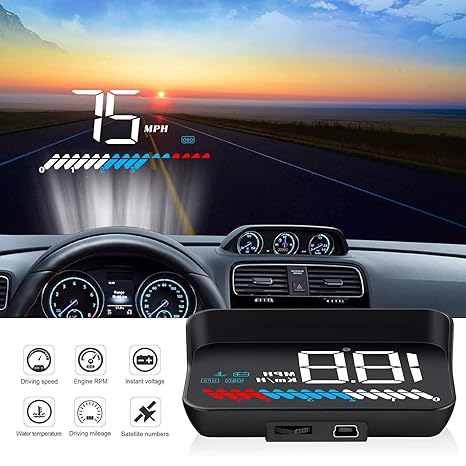 | ACECAR Head Up Display | |
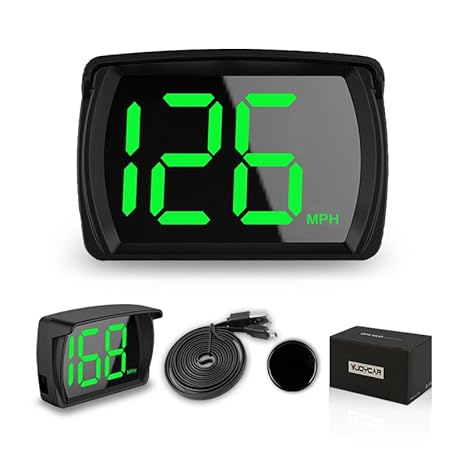 | Speedometer | |
 | HUD Head Display | |
 | Digital Display | View on Amazon |
Pro Tip:
Choose a HUD that integrates with your navigation system for real-time updates on the road ahead.
10. First Aid Kit
Description:
A smart first aid kit is equipped with sensors and a guides that helps you to how to use medical supplies in case of an emergency.
Uses:
- Provides step-by-step instructions for first aid treatment.
- Keeps track of the expiration dates of medical supplies.
Why It’s Essential:
Being prepared for medical emergencies while on the road can save lives.
PREVIEW | PRODUCT | VIEW |
 | First Aid Kit 326 piece | View on AliExpress |
 | 330 Piece First Aid Kit | View on AliExpress |
 | Car Travel Small First Aid Kit | View on AliExpress |
 | All-Purpose First Aid | View on AliExpress |
Pro Tip:
Look for kits that are compact and fit easily in your car, but still contain all essential items.
Conclusion:
These car safety gadgets are essential for keeping you and your family protected on the road. Whether you’re looking to avoid collisions or monitor your vehicle’s performance, these tools provide the peace of mind you need for a safer driving experience.
Pros
Enhanced Driver Awareness
- Many modern safety gadgets, like blind-spot detectors and lane departure warnings, help keep drivers alert and aware of their surroundings.
- Pros: By providing warnings about potential hazards, these gadgets can significantly reduce the risk of accidents caused by blind spots or unintentional lane drifting.
- Suggested Product: Blind-Spot Detection System | Lane Departure Warning System
Increased Protection for Family
- Dash cameras and rearview cameras improve visibility and record incidents, ensuring greater protection for passengers.
- Pros: Dash cams can provide critical evidence in case of an accident, helping to resolve insurance claims and legal issues. Rearview cameras make reversing safer, especially in areas with limited visibility.
- Suggested Product: High-Resolution Dash Cam | Rearview Backup Camera
Real-Time Alerts and Emergency Assistance
- Some gadgets, like emergency response systems and collision alerts, automatically connect to emergency services if an accident occurs.
- Pros: This provides peace of mind, as help is on the way even if the driver is unable to call. Collision alerts warn drivers to avoid potential crashes.
- Suggested Product: Collision Alert Sensor
Improved Driving Skills
- Driver monitoring systems can identify risky driving behaviors such as speeding or hard braking, offering feedback to improve driving habits.
- Pros: These tools help drivers stay aware of their habits, encouraging safer driving, which is especially beneficial for new drivers or teens.
- Suggested Product: Driver Monitoring System
Enhanced Night Vision and Reduced Blind Spots
- Night vision cameras and adaptive headlights make night driving safer by illuminating dark areas and adjusting based on road conditions.
- Pros: These gadgets help improve visibility at night, reducing the risk of nighttime accidents.
- Suggested Product: Night Vision Camera | Adaptive Headlights
Cons
High Initial Cost
- Some car safety gadgets, especially advanced tech like night vision cameras or blind-spot detection, can be expensive to purchase and install.
- Cons: The upfront cost can be prohibitive for some families, particularly if multiple gadgets are desired.
- Tip: Look for bundle deals or less expensive versions of the desired gadgets.
Potential for Driver Over-Reliance
- While these gadgets enhance safety, they may cause some drivers to rely on technology rather than staying vigilant.
- Cons: Over-reliance on gadgets like lane assist or automatic braking can reduce a driver’s alertness and responsiveness, potentially leading to risky driving habits.
- Solution: Use gadgets as a supplement to, not a replacement for, attentive driving.
Battery and Power Consumption
- Car safety gadgets often require additional power, which can drain the car’s battery if multiple devices are in use.
- Cons: This can be an issue for older vehicles with lower battery capacity, leading to quicker battery drain and potential breakdowns.
- Tip: Consider gadgets with low power consumption or use devices that run on rechargeable batteries.
Complex Installation Process
- Some gadgets, such as dash cams and driver monitoring systems, may require professional installation to function properly.
- Cons: Installation can be time-consuming and may require professional assistance, adding to the cost and effort.
- Solution: Look for gadgets that are easy to install or offer DIY installation kits.
Possible Privacy Concerns
- Gadgets like dash cams and driver monitoring systems may raise privacy concerns, especially if they continuously record or monitor driver behavior.
- Cons: For some users, constant surveillance might feel invasive, especially if the data is shared with third parties.
- Tip: Choose devices with clear privacy policies and user-controlled data options.
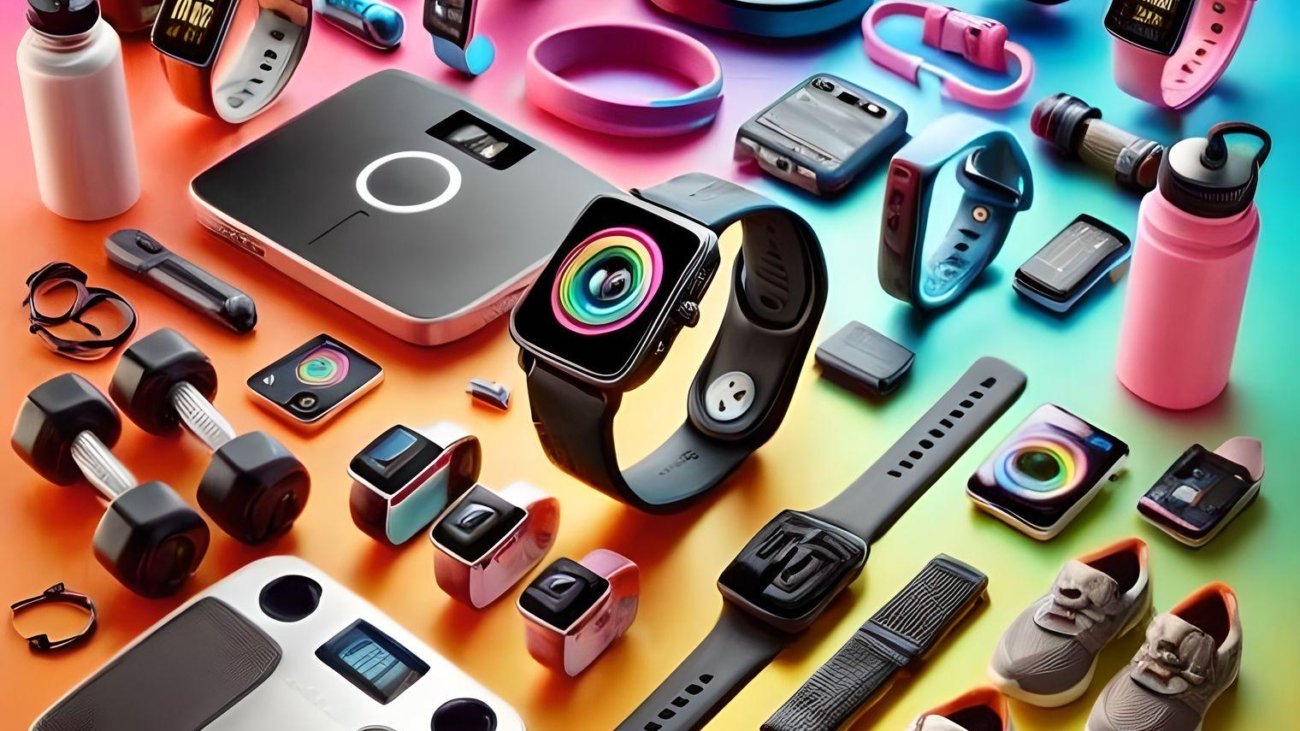
Best Smart Devices for Health and Fitness: Stay Fit with Technology
Introduction
In today’s fast-paced world, staying fit and healthy has become more accessible thanks to innovative smart devices designed specifically for health and fitness. Whether you’re a fitness enthusiast or someone just starting their wellness journey, the right smart gadgets can help you track progress, stay motivated, and achieve your goals. From smartwatches to home gym equipment, technology has revolutionized the way we approach fitness. Below are some of the best smart devices for health and fitness available today.
Table of Contents
1. Fitbit Charge 3,4,5,6
Description:
The Fitbit Charge 5 is an advanced fitness tracker that offers comprehensive health insights. Equipped with a heart rate monitor, sleep tracking, stress management tools, and GPS for outdoor activities, this device helps users stay on top of their health.
Uses:
- Track your heart rate throughout the day and during workouts.
- Monitor your sleep quality and stress levels.
- Utilize GPS for tracking your running, cycling, or hiking routes.
Why It’s Essential:
With features like ECG monitoring, the Fitbit Charge 5 ensures that you’re always aware of your heart health, making it ideal for users focusing on cardio fitness or those with heart-related concerns.
PREVIEW | PRODUCT | VIEW |
 | Fitbit Inspire 3 | |
 | Fitbit Charge 5 | |
 | Fitbit Charge 6 | |
 | Fitbit Charge 4 | |
 | Fitbit Charge 6 Bundle |
Pro Tip:
Connect the Fitbit Charge 5 to your smartphone for enhanced fitness tracking and personalized workout suggestions.
2. Withings Body+ Smart Scale
Description:
The Withings Body+ Smart Scale is a Wi-Fi-enabled scale that tracks your weight, body fat percentage, muscle mass, and even water retention. It syncs all your data to a dedicated app, allowing you to monitor your progress over time.
Uses:
- Track weight changes over time.
- Analyze your body composition and set realistic fitness goals.
- Syncs with apps like Apple Health, Google Fit, and MyFitnessPal.
Why It’s Essential:
This smart scale offers more than just weight measurements—it provides a complete picture of your body’s health, making it easier to stay on top of your fitness goals.
PREVIEW | PRODUCT | VIEW |
 | WITHINGS Smart Scale | |
 | WITHINGS Smart Scale | |
 | Digital Wi-Fi Smart Scale | |
 | RENPHO Smart Scale | |
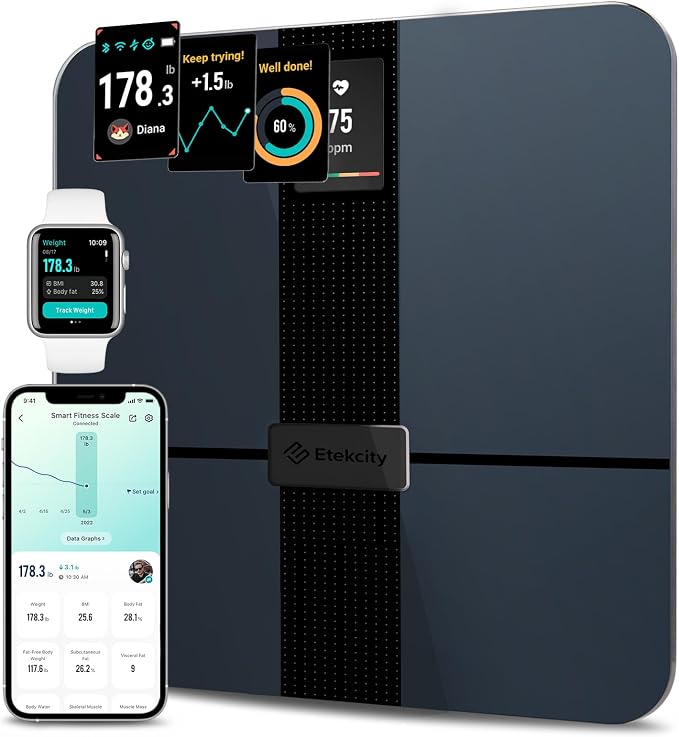 | Etekcity Smart Scale | |
 | Advanced Smart Scale |
Pro Tip:
Use the multi-user function to track the progress of different family members, as it automatically recognizes up to 8 users.
3. Apple Watch Series 9 & 10
Description:
The Apple Watch Series 9 & 10 is not just a smartwatch but also a highly efficient fitness tracker. With built-in features like blood oxygen monitoring, ECG, sleep tracking, and advanced workout tracking, this watch is a personal health companion on your wrist.
Uses:
- Monitor your heart health with the ECG feature.
- Track your sleep patterns and get recommendations to improve your sleep quality.
- Log various workouts from running, cycling, yoga, and more, with advanced metrics.
Why It’s Essential:
The Apple Watch Series 9 offers real-time insights into your health and fitness, helping you stay active and monitor your overall well-being.
PREVIEW | PRODUCT | VIEW |
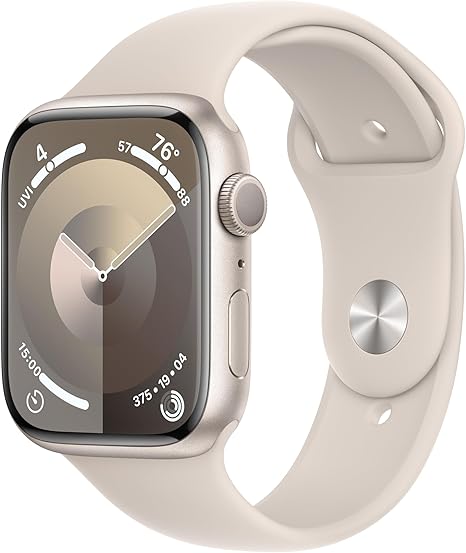 | Apple Watch Series 9 | |
 | Apple Watch Series 10 | |
 | Apple Watch Series 9 |
Pro Tip:
Pair it with the Apple Fitness+ app for guided workouts and personalized fitness plans based on your goals.
4. Indoor Exercise Bikes
Description:
The Peloton Bike+ is a state-of-the-art stationary bike that offers live and on-demand fitness classes. The bike features a rotating touchscreen and adjustable resistance to enhance your home workouts.
Uses:
- Access live streaming classes from top instructors.
- Track your calories burned, heart rate, and cadence in real time.
- Participate in competitive leaderboards for extra motivation.
Why It’s Essential:
The Peloton Bike+ brings the energy and motivation of a gym into your home. It’s ideal for those who enjoy high-energy workouts without having to leave the house.
PREVIEW | PRODUCT | VIEW |
 | Peloton Indoor Exercise Bike | |
 | YOSUDA Indoor Cycling Bike | |
 | MERACH Exercise Bike | |
 | JOROTO | |
 | WENOKER |
Pro Tip:
Use the bike’s auto-resistance feature to automatically adjust the resistance levels based on your workout intensity.
5. Massage Gun
Description:
The Theragun Elite is a percussive therapy device designed to relieve muscle soreness, improve circulation, and enhance recovery after workouts. Its quiet motor and customizable intensity levels make it a favorite among athletes.
Uses:
- Relieve muscle tension after intense workouts.
- Improve blood circulation and reduce inflammation.
- Speed up post-workout recovery to reduce soreness.
Why It’s Essential:
Using percussive therapy after workouts helps to reduce muscle pain, improve mobility, and speed up the recovery process, making it ideal for anyone engaging in high-intensity fitness routines.
PREVIEW | PRODUCT | VIEW |
 | TOLOCO Massage Gun | |
 | TheraGun Mini | |
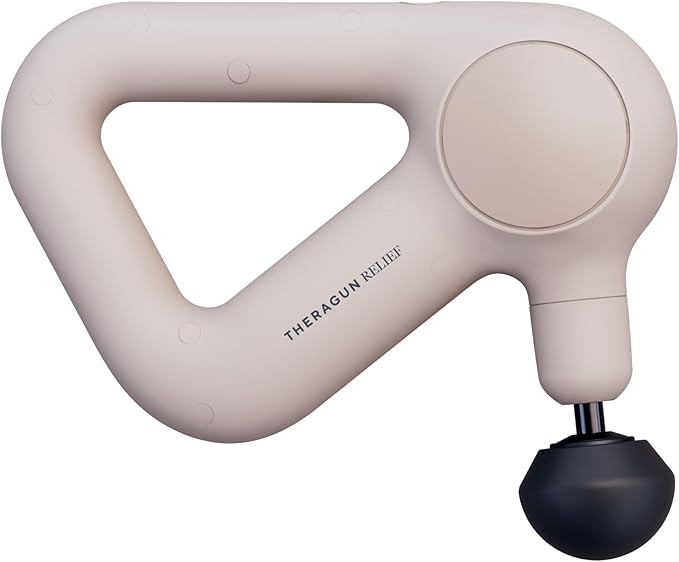 | TheraGun Relief | |
 | Hyperice Hypervolt | |
 | TheraGun Prime Plus | |
 | RENPHO Massage Gun |
Pro Tip:
Customize the intensity settings through the Therabody app for targeted muscle relief.
6. Garmin Forerunner 945
Description:
The Garmin Forerunner 945 is a GPS smartwatch tailored for serious runners and triathletes. It features VO2 max tracking, built-in maps, and performance monitoring to help athletes optimize their training.
Uses:
- Track running, cycling, and swimming performance with in-depth analytics.
- Monitor your VO2 max to understand your fitness levels.
- Access detailed performance metrics and built-in maps for training on the go.
Why It’s Essential:
For serious athletes, tracking performance metrics like VO2 max is critical for understanding your physical capacity and pushing the boundaries of your fitness.
PREVIEW | PRODUCT | VIEW |
 | Garmin Forerunner 945 |
Pro Tip:
The Garmin Forerunner 945 also supports music storage, allowing you to enjoy your favorite workout playlists without needing your phone.
7. Oura Ring
Description:
The Oura Ring is a sleek, smart ring that tracks your sleep, heart rate, body temperature, and overall readiness to take on your day. This compact device provides insights that go beyond fitness, focusing on your overall wellness.
Uses:
- Monitor your heart rate and body temperature 24/7.
- Track your sleep cycles and recovery phases.
- Gain insight into your readiness score, which helps you optimize your daily performance.
Why It’s Essential:
The Oura Ring provides a holistic approach to fitness by not only focusing on your workouts but also ensuring you’re well-rested and prepared for the day.
PREVIEW | PRODUCT | VIEW |
 | Oura Ring 4 | |
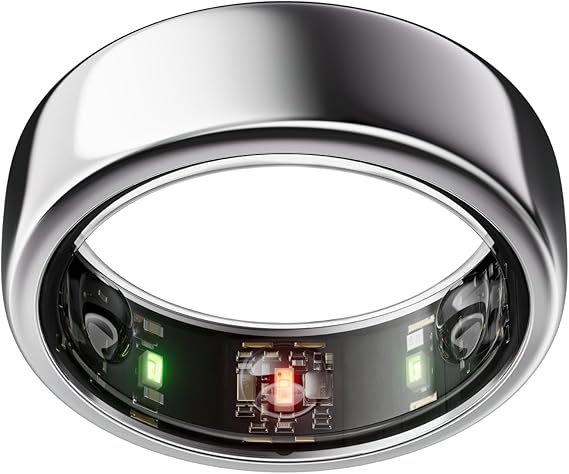 | Oura Ring Gen3 |
Pro Tip:
Its sleek, lightweight design makes it an ideal wearable for those who prefer something more discrete than a fitness band.
Conclusion
The integration of smart devices into our fitness routines has transformed how we manage our health. From fitness trackers to recovery tools, these devices are designed to help you achieve your health and fitness goals with ease. Incorporating the right gadgets into your routine will not only boost your performance but also make it easier to track and understand your progress. Stay ahead of the game by choosing the best smart devices to help you live a healthier, more active life!
Pros
Real-Time Health Monitoring
- Smart devices like fitness trackers and smartwatches provide real-time insights into metrics such as heart rate, steps, and even blood oxygen levels.
- Pros: This enables users to monitor their health continuously, allowing for early detection of potential health issues and promoting a proactive approach to wellness.
- Suggested Product: Fitbit Health Watch | Apple Watch Series 8
Personalized Workout Plans
- Many smart fitness devices offer customizable workout plans based on your fitness goals and progress.
- Pros: Tailored programs encourage consistency and can help users stay on track with their fitness goals, adjusting as their fitness level improves.
Motivation and Accountability
- Smart devices often come with features like goal setting, achievement badges, and community support to keep users motivated.
- Pros: This keeps users accountable and can help establish long-term fitness habits by making exercise more engaging.
- Suggested Product: Garmin Fitness Watch
Sleep and Stress Tracking
- Advanced fitness devices now monitor sleep patterns and stress levels by analyzing your body’s signals, helping users understand and improve their overall wellness.
- Pros: This data promotes holistic health, as better sleep and stress management are crucial for overall fitness and mental well-being.
- Suggested Product: Oura Ring | Fitbit Sense
Convenience and Accessibility
- Smart home devices like connected workout equipment (e.g., smart treadmills, exercise bikes) allow users to work out from the comfort of home.
- Pros: Ideal for busy schedules, these devices make it easy to fit in exercise without the need to commute to a gym.
- Suggested Product: Peloton Bike | NordicTrack Treadmill
Data Integration Across Platforms
- Many fitness apps and devices can sync with other platforms (like Apple Health or Google Fit), offering a comprehensive health overview.
- Pros: Centralized data helps users track their overall health journey, from nutrition to exercise and sleep, in one place.
Cons
High Initial Cost and Subscription Fees
- The latest fitness tech can be expensive, with some devices requiring ongoing subscription fees for full access to features.
- Cons: High upfront costs and monthly fees might be unaffordable for some users, especially for devices like Peloton or Whoop.
- Alternative Suggestion: Look for budget-friendly devices or free fitness apps that offer essential tracking without extra fees.
Privacy and Data Security Concerns
- Smart health devices collect sensitive health data, and privacy concerns are growing as data is often stored on cloud servers.
- Cons: There’s a risk of data breaches or misuse of personal health information. Users should review privacy policies carefully.
- Tip: Choose reputable brands that prioritize data security and offer privacy features.
Overreliance on Devices
- Some users may become too dependent on their devices for health insights, rather than listening to their bodies.
- Cons: This dependency could reduce the intrinsic motivation to stay fit and may discourage people from exercising without tech guidance.
- Solution: Use devices as a tool, but balance them with self-awareness and offline activities.
Battery Life and Charging Requirements
- Frequent charging can be inconvenient, especially for devices with short battery life like smartwatches with advanced tracking features.
- Cons: Regular charging can be a hassle, particularly for users who rely on continuous monitoring.
- Tip: Choose devices with long battery life or set up a charging routine to avoid interruptions.
Potential for Inaccurate Data
- While smart devices have improved, they are not always 100% accurate in tracking metrics like calories burned or stress levels.
- Cons: Inaccurate readings could lead to frustration or misguided health decisions, especially if users rely solely on the data.
- Solution: Use these devices as guidance rather than absolute measures, and consult professionals for precise health assessments.
Learning Curve and Setup Requirements
- Setting up and learning how to use some fitness tech devices can be time-consuming.
- Cons: Less tech-savvy users might find it difficult to navigate the features, which could limit the device’s usefulness.
- Tip: Look for devices with user-friendly interfaces or provide tech support.

Top 10 Software Tools You Need in 2025: Boost Productivity and Efficiency
Introduction
In 2024, software tools are at the core of personal and professional productivity. With a growing demand for efficiency and automation, the right software can make all the difference. From task management to seamless collaboration, choosing the right tools can transform how you work, streamlining processes and maximizing output. In this post, we’ll look at the top 10 software tools you need to boost productivity and efficiency in 2024.
Table of Contents
Description:
Notion is a versatile all-in-one workspace tool for note-taking, project management, and team collaboration. It offers a customizable platform where users can create databases, documents, task lists, and more, all integrated into one system.
Key Features:
- Customizable workspaces for different teams or projects.
- Integrated databases for task management.
- Collaboration tools with shared documents and team spaces.
Why It is Essential:
Notion’s versatility allows users to customize their workflows, whether managing personal to-do lists or collaborating on large projects, improving team efficiency and communication.
Pro Tip:
Utilize templates for project management to save time and standardize tasks across teams.
Description:
Slack is a real-time messaging platform designed for team communication. It allows users to create channels for different projects, enabling seamless communication, file sharing, and integration with other productivity tools.
Key Features:
- Organized communication channels for different teams or topics.
- File sharing and integration with Google Drive, Dropbox, and more.
- Threaded conversations for better communication flow.
Why It is Essential:
For remote or hybrid teams, Slack centralizes communication, reduces email clutter, and ensures that everyone stays on the same page, which enhances productivity.
Pro Tip:
Use Slackbots to set reminders, automate tasks, and streamline repetitive processes.
Description:
Trello is a task management tool that uses boards, lists, and cards to help teams visually organize and prioritize projects. It is known for its simplicity and flexibility, making it easy to manage both personal tasks and large collaborative projects.
Key Features:
- Visual task management with drag-and-drop functionality.
- Easy-to-use lists, boards, and cards for task tracking.
- Integration with other apps like Slack, Google Calendar, and more.
Why It is Essential:
Trello simplifies project management, especially for teams that thrive on visual organization, helping keep tasks on track and priorities clear.
Pro Tip:
Use Trello’s Power-Ups to extend its functionality, like calendar views, time tracking, and integration with apps like Zapier or Evernote.
Description:
Microsoft Teams is a collaboration and communication platform that integrates with the Office 365 suite. It combines chat, video conferencing, file sharing, and app integration, making it a central hub for team communication.
Key Features:
- Real-time chat, video, and voice calls.
- Deep integration with Microsoft Office apps (Word, Excel, etc.).
- Collaborative document editing and file sharing.
Why It is Essential:
Microsoft Teams brings all necessary tools under one roof, enhancing collaboration and making communication and file sharing much more efficient for teams working on Office 365.
Pro Tip:
Use Teams’ integrations with Power Automate to set up workflows that automate tasks like meeting reminders or document approvals.

Description:
Asana is a powerful project management software that helps teams coordinate tasks, assign responsibilities, and track deadlines. With customizable workflows and timeline views, it helps teams stay organized and meet their goals efficiently.
Key Features:
- Timeline view to track project progress.
- Task assignments with due dates and dependencies.
- Customizable workflows to adapt to your team’s specific needs.
Why It is Essential:
Asana makes complex project tracking simple, ensuring that tasks are completed on time and keeping team members accountable for their assignments.
Pro Tip:
Use Asana’s goal-setting feature to align project tasks with broader organizational objectives.

Description:
Zoom is a video conferencing platform that allows users to conduct meetings, webinars, and virtual events. With high-quality video and audio, it’s perfect for remote teams or businesses with distributed staff.
Key Features:
- HD video and audio for clear communication.
- Breakout rooms for smaller discussions.
- Screen sharing and recording capabilities.
Why It is Essential:
Zoom ensures that remote teams can stay connected, no matter where they are, providing a reliable platform for meetings, presentations, and training sessions.
Description:
Monday.com is a work operating system that enables teams to run projects and workflows with confidence. It offers a flexible platform to track projects, set deadlines, assign tasks, and visualize team progress.
Key Features:
- Customizable boards for task management.
- Real-time project tracking and reporting.
- Integration with apps like Slack, Dropbox, and Google Drive.
Why It is Essential:
Monday.com provides a highly visual and customizable workspace that helps teams plan, manage, and track their projects with ease, keeping everyone aligned on goals and progress.
Pro Tip:
Set automation rules in Monday.com to move tasks across boards, assign users, or send notifications, saving time on manual updates.
Description:
Google Workspace is a suite of cloud-based productivity tools including Gmail, Google Drive, Docs, Sheets, and Calendar. It offers seamless collaboration with real-time editing and sharing capabilities.
Key Features:
- Real-time collaboration on documents, spreadsheets, and presentations.
- Cloud storage for easy file access from any device.
- Integration with third-party apps and APIs.
Why It is Essential:
Google Workspace is ideal for teams that need cloud-based collaboration, offering tools that are simple to use yet powerful enough to handle large projects across multiple platforms.
Pro Tip:
Use Google Workspace’s integrations with third-party project management apps like Asana or Trello to streamline workflows.
Description:
ClickUp is an all-in-one productivity platform that integrates task management, goal setting, time tracking, and collaboration. It’s designed to handle everything from personal task lists to complex project workflows.
Key Features:
- Customizable views including list, board, and calendar.
- Built-in time tracking and task assignments.
- Integrations with over 1,000 apps, including Slack and Zoom.
Why It is Essential:
ClickUp’s flexibility allows teams to manage their tasks and goals in one place, making it easier to stay productive and organized.
Pro Tip:
Use ClickUp’s templates for recurring tasks to standardize workflows and save time.
Description:
Evernote is a note-taking app that helps users organize their thoughts, projects, and ideas. It’s perfect for collecting notes, web clippings, and organizing tasks across devices.
Key Features:
- Syncs across all your devices for note access anywhere.
- Web clipping feature to save important online content.
- Tagging system for easy note categorization and search.
Why It is Essential:
Evernote’s ability to keep all your notes in one place ensures that you’ll never lose track of ideas, inspiration, or to-do lists, which is essential for staying productive.
Pro Tip:
Use Evernote’s integration with Google Calendar to link notes to specific events or meetings.
Conclusion
The right software tools can make or break your productivity in 2024. Whether you’re managing projects, collaborating with a team, or simply trying to stay organized, these tools will help you maximize efficiency and stay ahead in your work. Incorporate these top 10 software solutions into your daily routine, and see how they can transform the way you work.
Top 10 Must-Have Best Open-Source Software of All Time
Introduction
Open-source software has been an essential part of the tech community, offering powerful tools that anyone can modify, share, and use freely. These programs are often developed by global communities of developers, making them reliable, secure, and frequently updated. Whether you are a developer, designer, or just someone looking to optimize your workflow, open-source software offers the flexibility and freedom to meet your needs. In this post, we’ll dive into the top 10 must-have open-source software of all time, known for their quality, utility, and the massive impact they’ve had on the tech world.
Table of Contents
Description:
VLC Media Player is a free and open-source media player that supports almost every audio and video file format. It’s lightweight, fast, and available on multiple platforms, including Windows, macOS, and Linux.
Key Features:
- Supports almost all media formats without needing additional codecs.
- Cross-platform functionality.
- Highly customizable interface and advanced features for power users.
Why It is Essential:
VLC is a must-have tool for anyone dealing with media. Its ability to play virtually any file format, as well as its robust customization options, makes it indispensable for both casual users and professionals.
Pro Tip:
Use VLC’s streaming capabilities to stream live media or podcasts over your network.
Description:
GIMP is a professional-grade open-source image editor that provides features similar to Adobe Photoshop. It is used for tasks such as photo retouching, image composition, and image authoring.
Key Features:
- Advanced photo editing tools comparable to commercial software.
- Customizable interface with the ability to install plugins.
- Supports various file formats including PSD, PNG, and JPEG.
Why It is Essential:
GIMP is the go-to software for anyone looking for a powerful, free alternative to Photoshop. Its extensive range of tools and customization options make it ideal for professionals and hobbyists alike.
Pro Tip:
Download and install additional plugins to extend GIMP’s capabilities, like RAW image support or batch processing.

Description:
LibreOffice is a free and powerful office suite that includes tools for word processing, spreadsheets, presentations, and more. It is a direct competitor to Microsoft Office and offers compatibility with Office file formats.
Key Features:
- Full office suite including Writer, Calc, Impress, and more.
- Compatible with Microsoft Office formats.
- Regular updates with new features from a dedicated open-source community.
Why It is Essential:
LibreOffice offers all the essential office tools at no cost, making it a perfect solution for individuals and businesses looking to save on software expenses without compromising functionality.
Pro Tip:
Use LibreOffice’s “Save as” feature to export files in different formats, such as PDF or Microsoft Office formats, to ensure compatibility with other users.
Description:
Audacity is a free, open-source, cross-platform audio editing software. It allows users to record live audio, edit recordings, mix tracks, and apply a wide range of effects.
Key Features:
- Multi-track audio editing and recording.
- Wide range of audio effects like noise reduction and equalization.
- Supports multiple audio formats, including MP3, WAV, and OGG.
Why It is Essential:
Audacity is essential for anyone working with audio, whether it’s for podcasts, music production, or simple audio editing. Its extensive feature set and ease of use make it a staple in the audio editing community.
Pro Tip:
Use Audacity’s “Noise Reduction” tool to clean up background noise from recordings for a more professional sound.
Description:
Blender is an open-source 3D creation suite used for modeling, animation, rendering, and video editing. It is widely used in industries like game development, visual effects, and 3D printing.
Key Features:
- 3D modeling and animation tools.
- Powerful rendering engine (Cycles).
- Video editing capabilities.
Why It is Essential:
Blender is a professional-grade 3D modeling tool that rivals commercial software. It is highly versatile, making it perfect for 3D artists, animators, and game developers.
Pro Tip:
Explore Blender’s large collection of add-ons to extend its functionality, such as importing/exporting various 3D file formats or adding new animation tools.
Description:
Mozilla Firefox is a fast and secure web browser that is known for its privacy-centric features and open-source nature. It offers a wide range of customization options and add-ons to enhance the browsing experience.
Key Features:
- Privacy-focused browsing with strong security features.
- Vast collection of extensions and themes for customization.
- Cross-platform compatibility.
Why It is Essential:
Firefox is one of the most popular open-source browsers, offering users more control over their online privacy and browsing habits than other mainstream browsers.
Pro Tip:
Use Firefox’s Privacy & Security settings to enable features like Enhanced Tracking Protection and DNS over HTTPS for safer browsing.
Description:
Shotcut is an open-source video editor that offers a variety of editing tools and features to create professional-quality videos. It supports a wide range of video formats and has a simple, user-friendly interface.
Key Features:
- Supports 4K resolution and a wide range of video/audio formats.
- Intuitive timeline editor for easy video trimming and arranging.
- Advanced features like color grading, filters, and transitions.
Why It is Essential:
Shotcut is a great alternative to expensive video editing software, providing powerful tools for beginners and professionals alike.
Pro Tip:
Use Shotcut’s GPU-accelerated effects to speed up rendering and improve performance when working with high-resolution videos.
Description:
KeePass is a free, open-source password manager that stores and manages passwords securely in an encrypted database. It supports multi-factor authentication and is highly customizable.
Key Features:
- Secure password storage with encryption.
- Supports two-factor authentication for added security.
- Open-source plugins to extend functionality.
Why It is Essential:
With cybersecurity becoming more important than ever, KeePass provides a safe and reliable way to manage your passwords and keep sensitive information secure.
Pro Tip:
Use KeePass’s Auto-Type feature to log into websites automatically without copying and pasting passwords.
Description:
WordPress is a popular open-source content management system (CMS) that powers over 40% of the web. It allows users to build and manage websites with ease, offering a wide range of themes, plugins, and customization options.
Key Features:
- Extensive plugin ecosystem for added functionality.
- SEO-friendly with built-in optimization tools.
- Easy-to-use interface for both beginners and advanced users.
Why It is Essential:
WordPress is a must-have for anyone looking to create a website, blog, or online store, offering an unparalleled level of customization and flexibility.
Pro Tip:
Install popular SEO plugins like Yoast to optimize your content for search engines and improve site visibility.
Description:
OBS Studio (Open Broadcaster Software) is a free, open-source software for video recording and live streaming. It is commonly used by content creators and streamers for its robust set of features and real-time performance.
Key Features:
- High-performance real-time video/audio capturing and mixing.
- Support for streaming to popular platforms like YouTube, Twitch, and Facebook.
- Scene creation with multiple sources such as video, images, text, and more.
Why It is Essential:
OBS Studio is a go-to tool for streamers and content creators, offering powerful features for producing professional-quality live streams and videos.
Pro Tip:
Use OBS’s scene transitions and audio mixer to create a smooth, professional live streaming experience.
Conclusion
Open-source software offers incredible value, flexibility, and power, often at no cost. Whether you’re managing passwords, editing videos, or building websites, these tools have stood the test of time and continue to be essential in 2024. Integrating them into your daily workflows can help you achieve more without breaking the bank.